P2 · MOFU
Client portal for accountants: the 2026 buyer's guide
What an accountant's client portal needs: tax-season checklists, deadline tracking, document classification, and the four portal shapes that fit a practice.
By ClientNest365 team · Published · Updated · 7 min read
Most client-portal guides treat accountants and creatives as the same buyer. They aren't. An accounting firm's workflow has four characteristics that change what "good" looks like in a portal:
- Deadlines are external and non-negotiable. Tax deadlines, payroll runs, VAT filings. Miss them and the client pays a penalty.
- Document collection is the bottleneck. Most of the work waits on the client sending you something. The portal that surfaces "what's outstanding" wins.
- Recurring patterns dominate. Monthly bookkeeping. Quarterly VAT. Annual accounts. The same checklist repeats with different inputs.
- Compliance and audit trail are not optional. When HMRC, IRS, or an auditor asks "did the client approve this expense classification?", you need a timestamped answer.
This guide walks through what to look for, how the major portals score against accounting-specific patterns, and which shape fits which practice size.
What an accounting portal actually does
The core feature set from the 11-feature checklist all applies. On top of those, an accounting portal needs four accounting-specific capabilities:
1. Recurring monthly checklist per client
The client opens the portal on the 1st of the month and sees: "we need your bank feed update, your receipts for last month, and your payroll changes by the 15th." Each item has a status (pending, received, approved). When the cycle closes, the checklist rolls forward into next month, unchanged.
Without this, every month is a manual email chase. With it, the portal does the chasing.
2. Document classification with audit trail
A client uploads a receipt. The portal (or an AI helper) tags it: "supplier invoice", "expense", "asset purchase". You confirm or correct the tag. The classification is stored as a row alongside the file, with who tagged it and when. Six months later, when HMRC asks about this specific expense, you have the answer in seconds.
The 2025-2026 generation of accounting portals are starting to bundle this as an AI-assisted feature. Done well, it cuts document handling time by 30-50%. Done poorly, it adds an unreliable layer that you spend more time correcting than it saves.
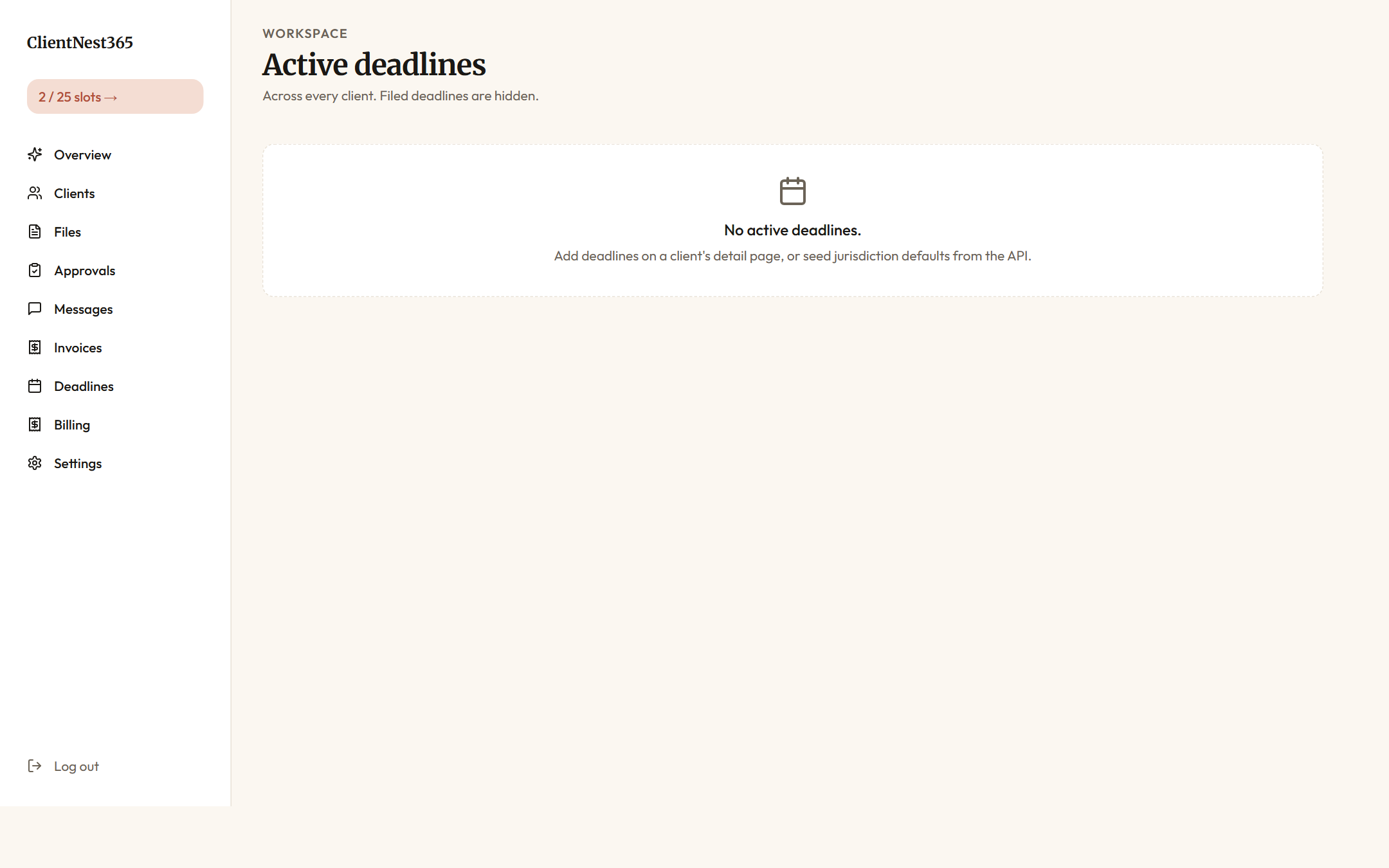
3. Deadline tracker that maps to actual filing dates
Tax-year-end. VAT quarter-end. Payroll cycle. Statutory accounts filing. Payments-on-account. Each of these is an external date that doesn't move. A portal that knows your jurisdiction's calendar (or lets you configure it cleanly) and surfaces upcoming deadlines on both the agency dashboard and the client portal home is genuinely time-saving.
Generic project-management tools (Asana, Linear, Trello) don't do this. They handle tasks, not legal deadlines.
4. Approval-as-object for expense classifications and account reconciliations
Every quarter, you classify the client's expenses. Some classifications are obvious (rent). Some are judgment calls (is this dinner a business meal or entertainment?). The portal lets you mark items for client approval. The client clicks yes or asks a question. The decision is logged with a timestamp, the user who approved, and the original classification.
When the client says next year "we never agreed to that classification," the answer is one click away.
How the major portals score on accounting fit
| Vendor | Recurring checklist | Document classification | Deadline tracker | Approval as object |
|---|---|---|---|---|
| SuiteDash | Partial (via tasks) | No | No (generic only) | Partial |
| Dubsado | Partial (workflows) | No | No | Partial |
| HoneyBook | No | No | No | No |
| Copilot | Partial | No | No | Yes |
| Moxo | Yes (Flows) | Partial (AI agent) | Partial | Yes |
| Karbon (vertical-specific) | Yes | Partial | Yes | Yes |
| ClientNest365 | Yes | Yes (AI-classified) | Yes | Yes |
Karbon is included as the only accounting-specific vendor in this table. It's not in the brief's named competitor list but it's the dominant US accounting-practice-management tool, starting around $59 / mo / user (verify on karbonhq.com/pricing before committing).
The four practice shapes
Accounting practices break into four operational shapes. Each one has a different right answer.
Shape 1: Solo bookkeeper, 5-15 clients
You're a one-person practice. Clients are small businesses, freelancers, or sole traders. You bill monthly retainers around £150-300 per client. Your bottleneck is chasing documents.
Right shape: portal-only product with strong document-collection UX and a per-client price model. Subscription tools are over-spec'd; you're paying for CRM features you don't use.
Specific recommendation: ClientNest365 at $15-$75 / year (3-25 client slots), or Moxo Free if you only have 2 active clients at any time.
Shape 2: Small firm, 2-5 staff, 30-80 clients
You're a partnership or small limited firm. Mix of monthly bookkeeping and annual accounts. You file VAT and prepare year-end accounts. Your team needs shared access to client data and a clean handoff between staff.
Right shape: subscription portal with multi-user support and a real workflow builder. Either an accounting-specific tool (Karbon) or a horizontal tool with good multi-user pricing (SuiteDash, Moxo Business).
Specific recommendation: Karbon at ~$59 / mo / user if your team is fully accounting-specialized, SuiteDash at $49 / mo Thrive if you want lower cost with more breadth.
Shape 3: Mid-size practice, 6-20 staff, 100-400 clients
You're a regional accounting firm. Multiple specializations (tax, audit, advisory). You need workflow automation, role-based access, white-label, and integration with Xero/QuickBooks/Sage.
Right shape: accounting-specific platform with deep workflow customization and partner-tier integrations.
Specific recommendation: Karbon Business or above, or Moxo Pro at $499 / mo if you want AI-first workflows. Skip generic horizontal tools: the cost of building the accounting workflows on top is higher than the platform price.
Shape 4: Large firm, 20+ staff, 400+ clients
You're a multi-office firm or a top-100 accounting practice. You need on-prem options, SAML SSO, custom integrations, and a customer success team behind the vendor.
Right shape: Enterprise-tier platforms with contracted SLAs. Pricing is custom and lands at six-figure annual contracts.
Specific recommendation: Moxo Enterprise, Karbon Enterprise, or a custom build on top of Microsoft 365 / SharePoint. At this scale, the build-vs-buy calculation is real.
The tax-season problem
Every accounting practice has the same March-April or January-April crunch (depending on jurisdiction). Three things change during tax season:
- Document volume spikes 3-10x. Receipts, P60s, W-2s, 1099s, bank statements, expense reports, all landing in the same two weeks.
- Client responsiveness drops. Your clients are also busy, also stressed, also late on their side.
- Errors are most expensive. A misclassified expense in May costs an hour to fix. The same error in April costs a missed deadline.
A portal earns its keep during tax season by:
- Surfacing outstanding documents to the client without you having to email them. "Hey John, we still need your Q4 bank statement" is now a banner on his portal home, not a Tuesday-evening email you forgot to send.
- Classifying incoming documents on arrival with an AI helper so you're triaging by exception, not by every single upload.
- Logging every approval so when the auditor or HMRC asks in June, the answer is one click.
Without those three, tax season is your three worst weeks of the year. With them, it's still hard but it doesn't break the practice.
Compliance and security questions to ask any vendor
Accounting clients trust you with PII, financial records, and tax data. The vendor you pick inherits some of that trust. Ask:
- Where is the data hosted? EU buyers want EU regions; US buyers usually want US. "Multi-region" is a red flag if you can't pin it.
- Is data encrypted at rest? Should be yes, always. "End-to-end encrypted" is a stronger claim that usually isn't true (the vendor still holds keys); treat it skeptically.
- What happens to the data if I cancel? Look for "export at any time" and "delete on request within 30 days."
- Has there been a security incident? Check the vendor's status page and recent press. A clean three-year history is a real positive.
- GDPR-oriented practices? For EU clients, the vendor should be able to sign a Data Processing Agreement (DPA) and name a sub-processor list.
We publish ours at clientnest365.com/legal/dpa.
What to read next
- If you're new to the category: what is a client portal? is the plain-English overview before you dive into accounting specifics.
- If you're comparing vendors generally, not just for accounting: the cost guide covers SuiteDash, Dubsado, HoneyBook, Copilot, and Moxo on real pricing.
- If you want the feature checklist independent of vertical: the 11 features every modern client portal needs in 2026.
- If you're considering Drive + Stripe + a contract tool instead: client portal vs file-sharing walks through where folder-based setups break for service work.
- If you're not sure the ROI lands: is a client portal worth it? does the math for small practices.
For a free 3-client workspace tailored to accounting workflows, open one here. The $15 cost is a one-off; slots don't expire. You can configure the recurring checklist and deadline tracker in under 10 minutes.